
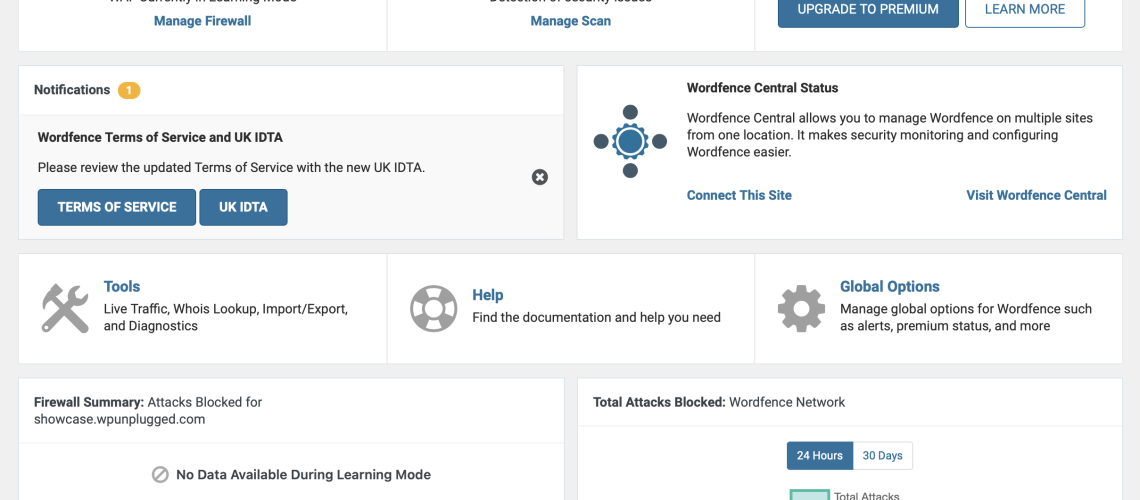
Leveraging the WordFence Security plugin to increase website security
WordFence Security is an incredibly powerful plugin that can be leveraged to increase website security. It offers a variety of features such as two-factor authentication, monitoring for malicious code, blocking suspicious IPs, and detecting known security vulnerabilities. These features all work together to protect your website from potential threats and attacks. It also monitors for any changes that may have been made to your site and alerts you if there are any suspicious activity. By utilizing the WordFence plugin, website owners can rest assured that their website and its data are safe and secure.
Setting up automated alerts to monitor malicious logins
Setting up automated alerts to monitor malicious logins is an important security measure that all businesses should take. Automated alerts allow businesses to be notified in real-time when suspicious logins are detected. These alerts can be set up to monitor various types of logins such as employee accounts, customer accounts, and third-party accounts. By monitoring malicious logins, businesses can take action quickly to protect their systems and data and prevent further damage. Automated alerts also help businesses identify trends in malicious logins and can be used to develop proactive strategies to combat malicious activity.
Adding a two-factor authentication feature to secure user accounts

Adding a two-factor authentication feature to secure user accounts is a great way to keep them safe from malicious actors. With two-factor authentication, users must provide two pieces of information to access their account. This could be something like entering a one-time code sent to their phone or performing a biometric scan. This added layer of security makes it much harder for someone to gain unauthorized access, and it also provides users with peace of mind knowing their data is secure.
Setting up automated scans to detect potential vulnerabilities
Setting up automated scans to detect potential vulnerabilities is an important step in keeping networks and systems secure. Automated scans are designed to look for potential vulnerabilities in applications, databases and other network components, and they are typically run once a month or more often. Automated scans can identify potential security risks, and alert administrators to take action to mitigate the risk. By setting up automated scans, organizations can ensure that their systems are always secure and up-to-date.
Implementing a firewall to protect against malicious attacks
Implementing a firewall is one of the most effective ways to protect against malicious attacks. Firewalls provide a layer of security by monitoring incoming and outgoing network traffic and blocking suspicious traffic based on a set of predefined rules. Firewalls can also be used to limit access to certain applications or websites, providing an additional layer of protection against malicious attacks. Firewalls can be implemented on both the network level as well as on individual computers, providing an additional layer of protection for your data and systems from malicious attackers.
Creating custom rules to block suspicious IP addresses with word fence for wordpress
WordPress security is an important part of maintaining the safety of a website. One way to ensure the security of a website is to create custom rules to block suspicious IP addresses with WordFence. WordFence is a WordPress security plugin that provides many features to help protect a website from malicious attackers. It has a feature that allows users to create custom rules to block suspicious IP addresses. This can be done by manually entering the IP address, or by using a range of IP addresses. WordFence also provides an option to block entire countries if needed. With WordFence, creating custom rules to block suspicious IP addresses is an easy and effective way to help protect a WordPress website.
– Enhancing the security settings for user accounts with word fence for wordpress
– Utilizing the WordFence plugin\’s malware removal features with word fence for wordpress
– Setting up automated backups for critical website data with word fence for wordpress
– Using the WordFence plugin to monitor changes to website code with word fence for wordpress